Using Mako's In-Person Signing feature, Advisors can review and sign documents with Investors in person, seamlessly.
Contents
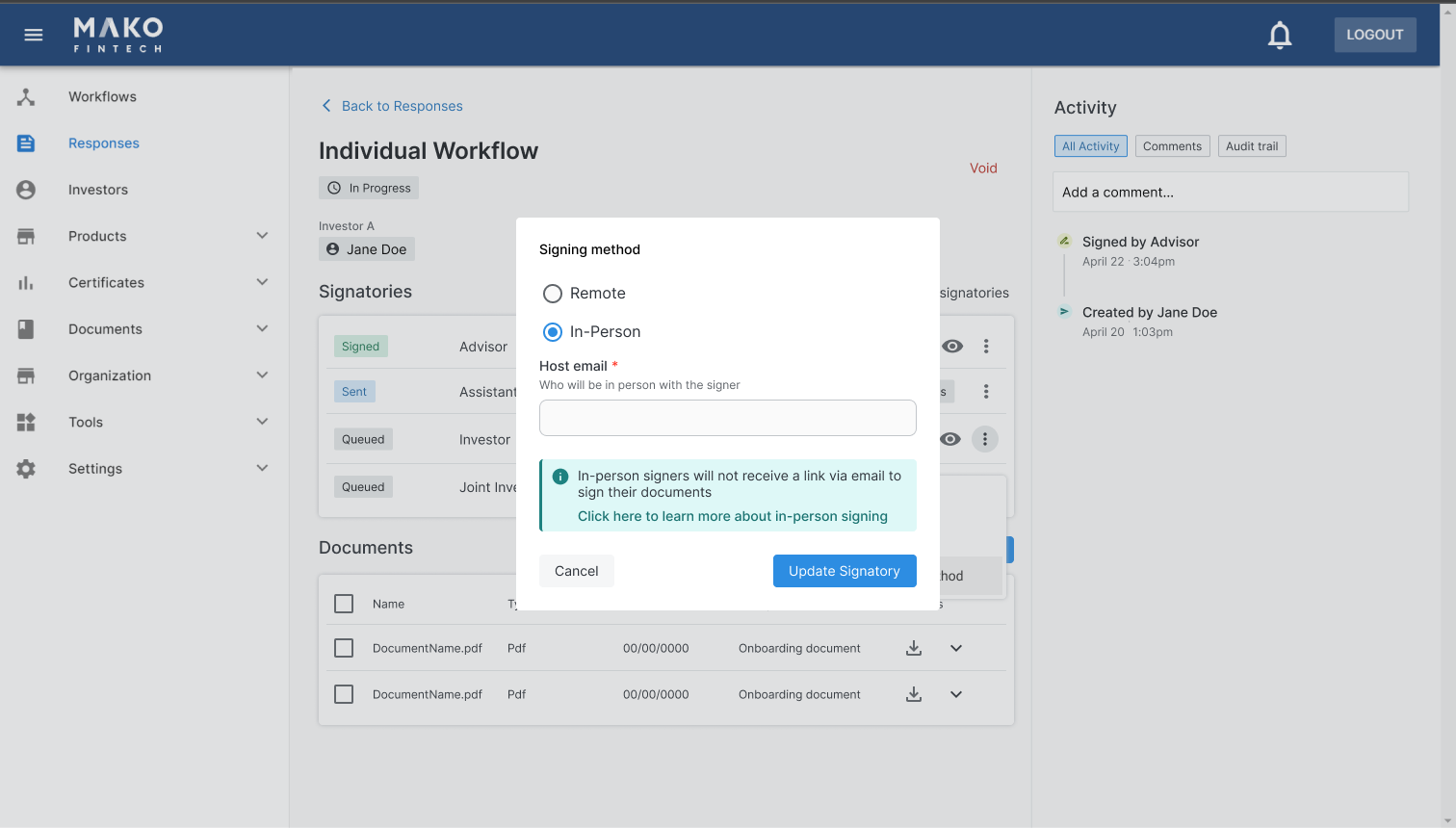
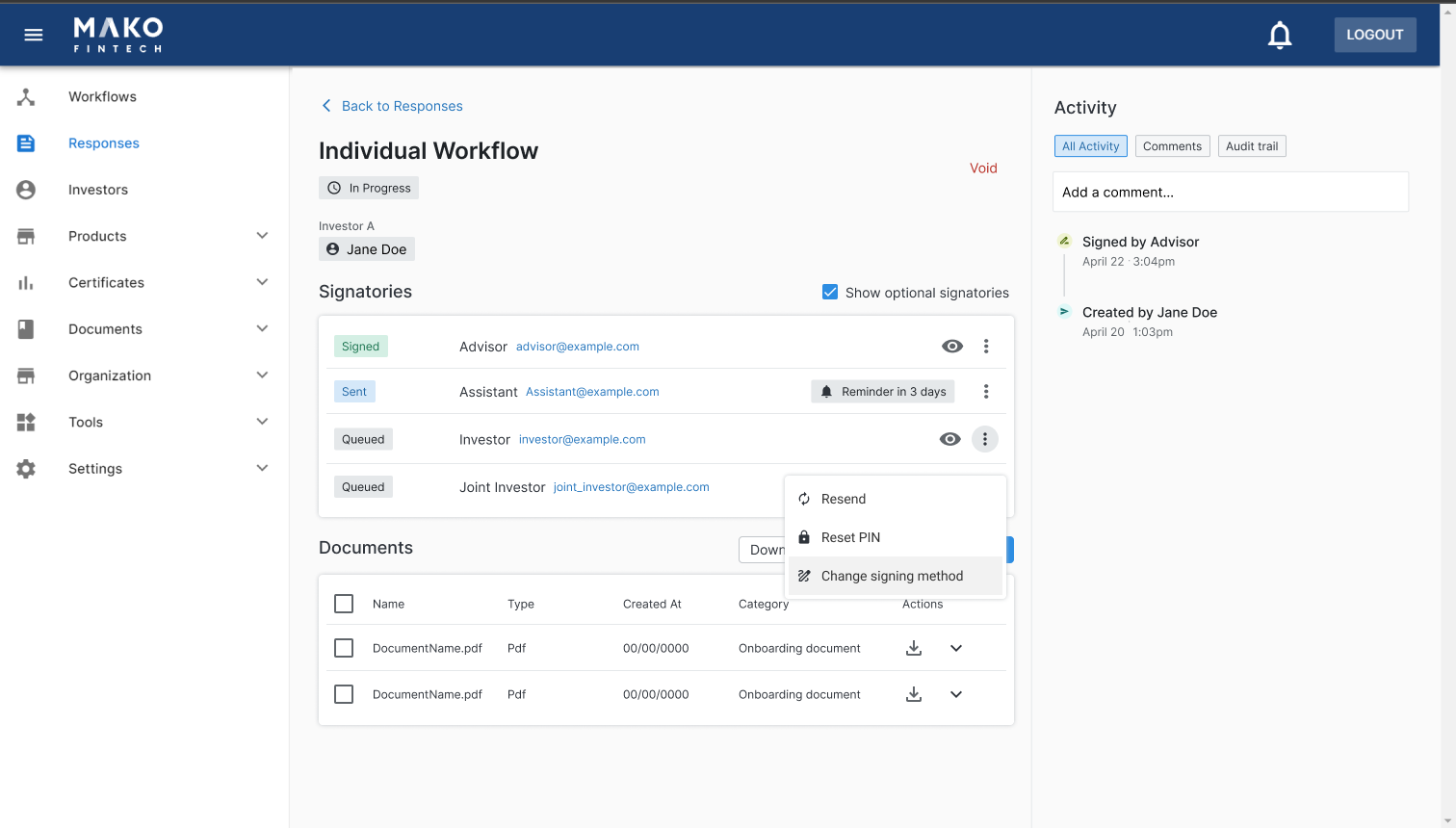
After launching a workflow, you can switch the signing method from remote to in-person for any signatory before they have signed.
This action is available to any user who has access to the response
After switching a signatory to In-Person, they will not receive a link to sign the workflow via email or any automated reminders. The host will receive a link via email that they can use to sign in person with the signatory.
When a workflow is ready for a signatory to sign in person, an email notification will be sent to the Host email with a link to sign the response in person with the signatory
The host can use the link in the email notification to begin signing or log into the system, select the response that is ready to be signed and click Sign In-Person.
No PIN or other authentication method will be required to initiate signing in person; the host email and date and time or signing will be recorded in the audit trail.
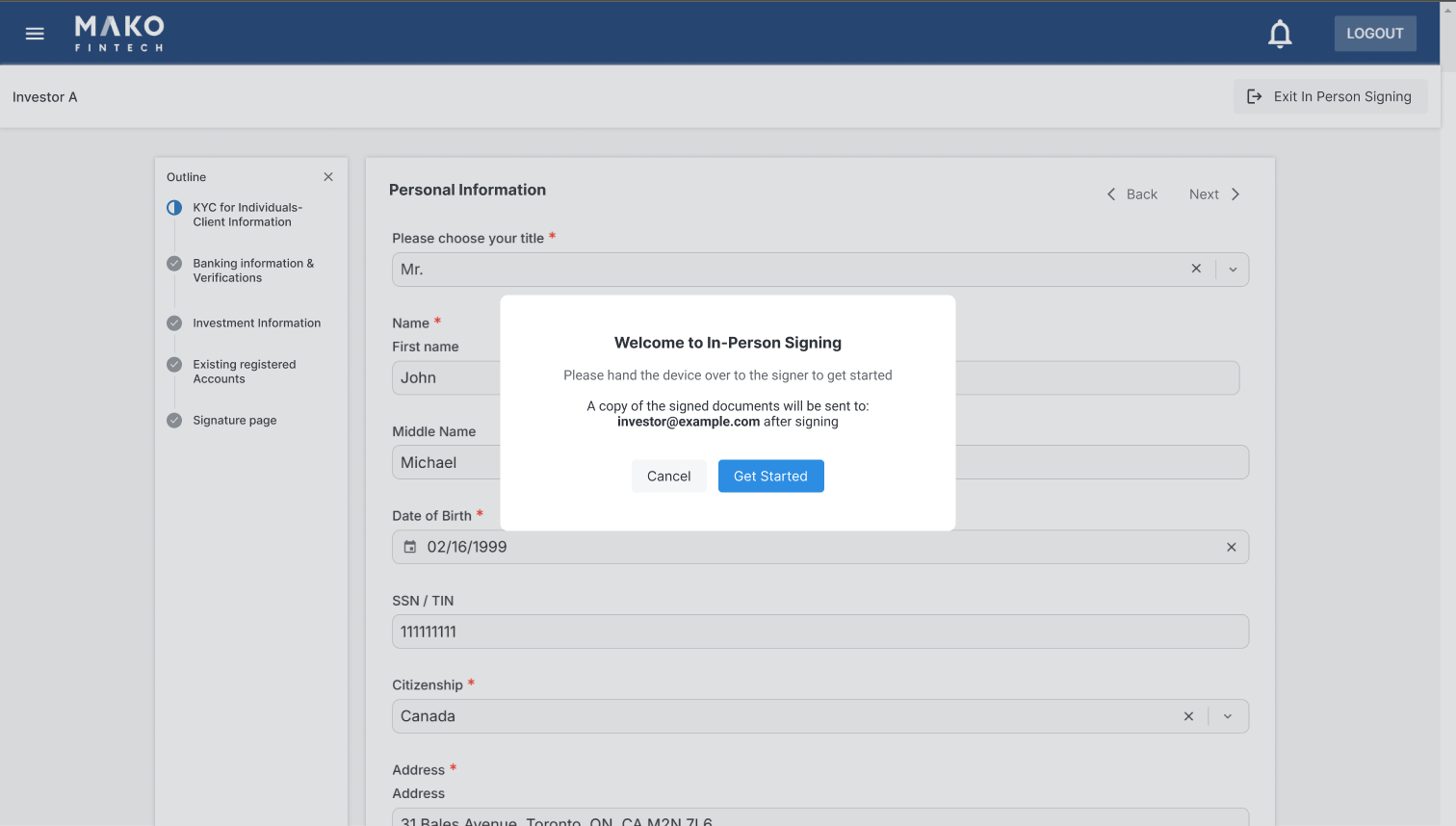
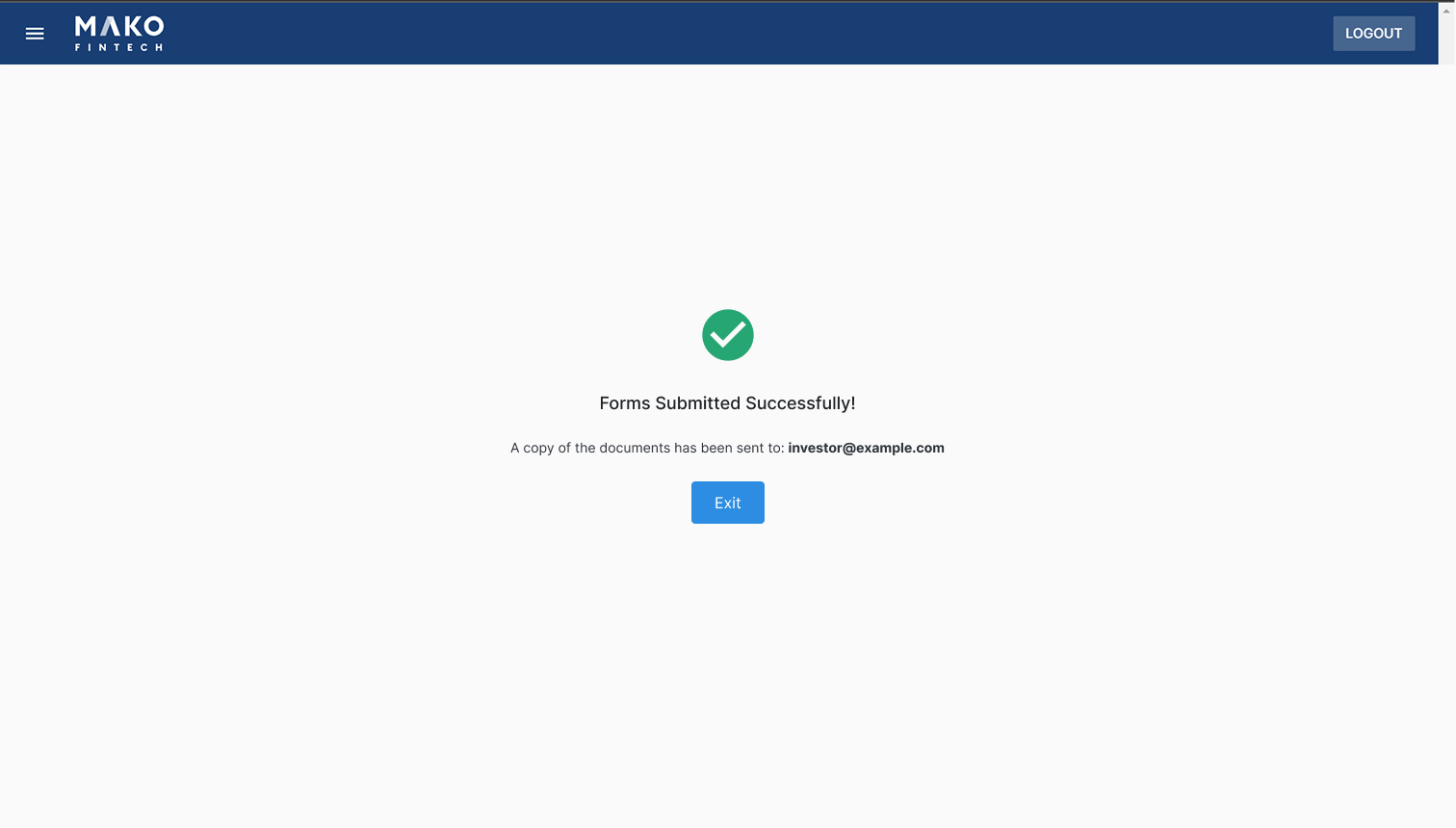
After signing is complete, a copy of the signed documents will be automatically emailed to the in person signer
If a signatory no longer needs to sign in person, you can set them back to a Remote signer without resending or voiding the workflow
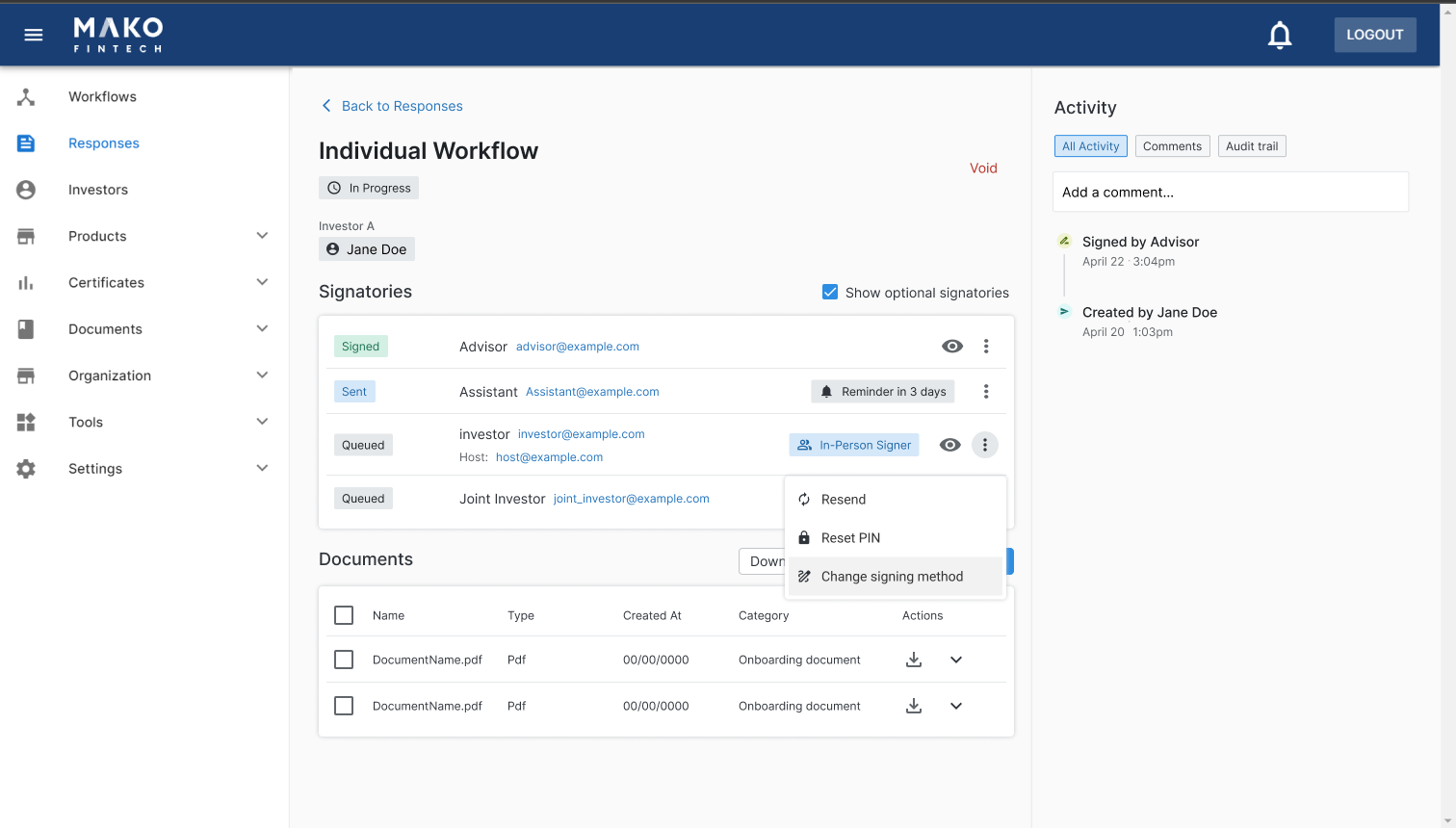
If the signatory already has the status “Sent”, they will receive a link via email to sign the workflow immediately after setting them to Remote
The host email address must be associated to an employee account on the portal. Only this email will be permitted to initiate In-Person signing with the investor.
If the host needs to be reassigned to a different employee, the following can be done without resending or voiding the workflow: